
Introduction
In our fast-paced professional and personal lives, we use countless digital tools to stay organized. We use one app for note-taking, another for project management, a third for our to-do lists, and a fourth for our team’s wiki. This scattered approach often leads to confusion, inefficiency, and a feeling of being overwhelmed. What if there was a single, flexible workspace that could handle all these tasks seamlessly? This is the promise and reality of Notion.
Notion is a powerful, all-in-one productivity tool that combines the best features of a note-taking app, a project management system, a database, and a team wiki into a single, highly customizable platform. It is designed to be as flexible as your thoughts, allowing you to create the exact workflow you need for any task or project. From individual students organizing their class notes to large companies managing complex projects, Notion has become an indispensable tool. This comprehensive guide will take a deep dive into what makes Notion so unique, exploring its core philosophy, its key features, and how it is revolutionizing the way we work and collaborate. We will explain everything in simple, easy-to-understand language.
1. What is Notion? An All-in-One Workspace
At its core, Notion is a unified digital workspace that allows you to manage everything from your personal life to your professional projects. It is built on a simple yet incredibly powerful philosophy.
The Core Philosophy: Blocks and Pages
The entire Notion ecosystem is built on two fundamental concepts: blocks and pages.
- Pages: A page is your canvas. It can be a simple document, a project database, a team wiki, or anything you want. You can put anything you create inside a page, and you can nest pages within other pages, creating a flexible hierarchy that is easy to navigate.
- Blocks: A block is the basic building unit of a Notion page. A block can be a simple text paragraph, a heading, a to-do item, a bullet point, an image, a video, a table, or even a database. You can drag, drop, and rearrange blocks to create the perfect layout for your needs.
This simple block-based system gives you complete control over your content and structure, making Notion infinitely customizable.
Key Features at a Glance
- Note-Taking: Create simple notes, journals, or detailed research documents.
- Databases: Build powerful databases to track projects, manage content calendars, or organize a customer relationship management (CRM) system.
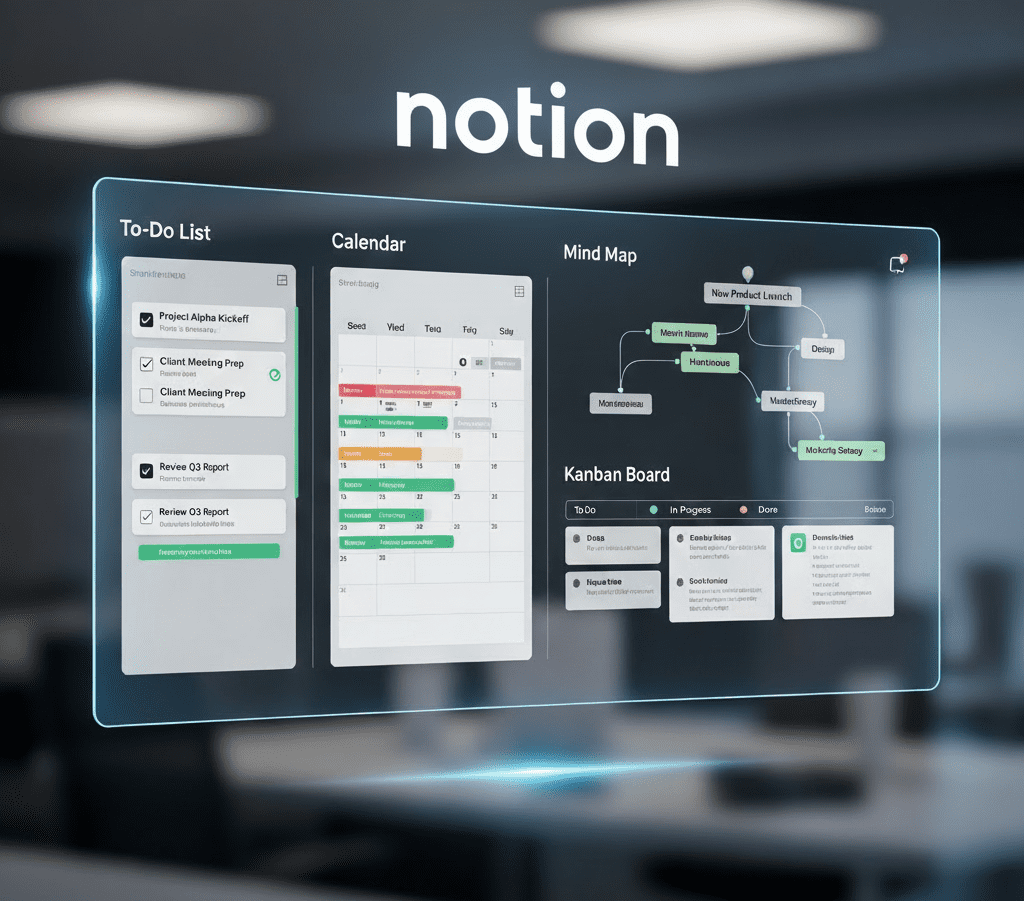
- Project Management: Use Kanban boards, timelines, and calendars to manage your projects and workflows.
- Team Wiki: Create a central knowledge base for your team, documenting processes, policies, and information.
- Collaboration: Share pages with teammates and collaborate in real-time, with comments, mentions, and notifications.
- Customization: Change layouts, colors, fonts, and even add icons and covers to personalize your workspace.
2. How to Use Notion for Different Purposes
Notion’s flexibility is its biggest strength, allowing it to adapt to a wide range of needs.
For Personal Productivity and Note-Taking
- Daily Planning: Create a daily planner with to-do lists, notes, and a schedule.
- Journaling: Start a personal journal with pages for thoughts, ideas, and memories.
- Goal Tracking: Build a database to track your personal goals, habits, and progress.
- Knowledge Hub: Create a personal wiki to store all your notes, articles, and useful links in one place.
For Team Collaboration and Project Management
- Task Management: Use a Kanban board to manage tasks, assign them to team members, and track their progress from “To Do” to “Done.”
- Team Wiki: Create a central repository for all your team’s information, including meeting notes, project plans, and company policies.
- Content Calendar: Plan and manage your content strategy with a calendar view that shows all your upcoming posts and their status.
- Meeting Notes: Use a simple template to take structured meeting notes, with clear action items and assigned owners.
3. Notion AI: The Smart Assistant
Notion has taken its productivity platform to the next level by integrating artificial intelligence. Notion AI is a powerful assistant that helps you write, brainstorm, and summarize content right inside your workspace.
What is Notion AI?
Notion AI is a generative AI engine built directly into the Notion platform. It understands the context of your content and can perform a variety of tasks based on your prompts. It’s an add-on service that integrates seamlessly into your workflow.
How Notion AI Supercharges Your Work
- Brainstorming Ideas: Stuck on a project? Ask Notion AI to brainstorm ideas for a new marketing campaign or a new product feature.
- Drafting Content: Give it a simple prompt like “Draft a job description for a software engineer,” and it will generate a well-structured document.
- Summarizing Documents: Quickly get the key points from a long meeting note, research paper, or a detailed report.
- Translating Text: Translate your content into different languages with a single click.
- Improving Writing: Ask Notion AI to improve your writing by making it more concise, formal, or engaging.
Notion AI acts as a creative partner, helping you get past the initial block and accelerating the entire content creation process.
4. Advanced Features and Ecosystem
Beyond its core functionality, Notion offers advanced features that make it a truly powerful tool.
Databases and Relations
Notion’s databases are not like a simple spreadsheet.
- Relational Databases: You can create relationships between different databases. For example, you can link a “Tasks” database to a “Projects” database, so you can see all the tasks related to a specific project.
- Different Views: You can view the same database in multiple ways: as a table, a Kanban board, a calendar, a list, or a gallery. This allows you to visualize your data in the way that makes the most sense to you.
Automations and Integrations
- Automations: Notion allows you to create simple automations within a database. For example, when you change a task’s status to “Done,” it can automatically update the “Completion Date.”
- Integrations: Notion integrates with hundreds of other apps like Slack, Google Calendar, and Zapier. This allows you to connect your Notion workspace to your other tools, creating a seamless workflow.
5. Frequently Asked Questions (FAQs)
Is Notion free to use?
Notion offers a generous free plan that is perfect for individuals. For teams and for more advanced features, there are paid plans available.
Is there a steep learning curve with Notion?
While Notion’s flexibility means it can do a lot, it has a gentle learning curve. You can start with simple notes and gradually learn more advanced features like databases as you go.
Is my data safe on Notion?
Notion uses robust security measures, including data encryption, to protect your data. However, as with any cloud-based tool, it’s important to use strong passwords and be mindful of what you share.
Can I use Notion for coding or as a knowledge base for code?
Yes, Notion supports code blocks with syntax highlighting for most programming languages, making it a great tool for technical documentation, sharing code snippets, or creating a personal knowledge base for your code.
What is the difference between a page and a database in Notion?
A page is a blank canvas for your content. A database is a structured collection of pages (or “items”) that are organized with properties (like dates, tags, or assigned users) and can be viewed in multiple ways (e.g., table, board, calendar).
Conclusion
In conclusion, Notion is far more than just a note-taking app. It is a revolutionary, all-in-one digital workspace that provides unparalleled flexibility and power. By combining the functionalities of dozens of different tools into a single platform, Notion simplifies your digital life, whether you are managing your personal tasks, collaborating with a team on a complex project, or building a comprehensive knowledge base.
Notion’s core philosophy of blocks and pages, coupled with its advanced features like databases and AI, empowers you to create the exact workflow you need to be more productive and efficient. It is a tool that grows with you, adapting to your needs and helping you organize your thoughts and your work in a way that feels completely natural.