

In the fast-paced world of technology, machine learning (ML) has moved from a niche field to a mainstream necessity. Businesses and developers are constantly seeking ways to integrate powerful ML models into their applications. However, this process, often called MLOps, is notoriously complex and time-consuming. You have to handle everything from setting up the right hardware and software environments to managing dependencies, scaling infrastructure, and ensuring models are always available.
This is where Replicate steps in.
Replicate is a platform designed to take the pain out of MLOps. It simplifies the entire process of deploying and running ML models, making it as easy as using a simple API call. For developers who want to focus on building great applications rather than managing complex infrastructure, Replicate is a true game-changer. This comprehensive guide will explore what Replicate is, why it’s a must-have tool for ML developers, and how you can get started with it.
What is Replicate?
At its core, Replicate is a platform that allows you to host and run machine learning models using a straightforward API. Think of it as a cloud service specifically optimized for ML models. Instead of spending hours configuring servers, setting up GPUs, and dealing with Docker containers, you can simply upload your model to Replicate and start using it immediately.
Replicate works by taking your code, packaging it into a reproducible environment, and then running it on powerful cloud infrastructure. It handles all the heavy lifting:
- GPU provisioning: Replicate provides access to state-of-the-art GPUs, so you don’t have to worry about buying or renting expensive hardware.
- Scalability: It automatically scales your models up or down based on demand. Whether you have one request or a million, Replicate ensures your model is responsive and available.
- Dependency management: Replicate uses
cog, a tool it developed, to package your model and its dependencies into a single, isolated container, ensuring consistent performance. - Easy API access: Once your model is deployed, Replicate provides a simple HTTP API endpoint and client libraries for various programming languages, allowing you to integrate it into any application with just a few lines of code.
Why Replicate is the Ideal Solution for ML Developers

The traditional MLOps workflow is filled with friction. A data scientist might train a great model, but getting it into production is a whole different challenge. This is where Replicate shines. It addresses several key pain points:
1. Extreme Simplicity
Replicate’s biggest selling point is its simplicity. You don’t need to be an MLOps expert or a DevOps engineer to use it. The process is intuitive:
- Define your model: Use
cogto describe your model’s inputs and outputs in a simpleyamlfile. - Push your code: Commit your model code and
cog.yamlfile to a Git repository. - Deploy: Replicate automatically detects the
cog.yamlfile and builds and deploys your model.
That’s it. Your model is now live and ready to be used. This simple workflow saves countless hours that would otherwise be spent on complex infrastructure setup and maintenance.
2. Cost-Effective and Scalable
Replicate operates on a pay-as-you-go model. You only pay for the time your model is running. This is far more cost-effective than keeping a GPU instance running 24/7, even if it’s idle. Replicate’s auto-scaling feature is a huge advantage. If your application suddenly gets a spike in traffic, Replicate can spin up multiple instances of your model to handle the load, and then spin them down when demand drops. This ensures high availability without an exorbitant cost.
3. Focus on What Matters: Building and Innovating
For developers, the goal is to build amazing products. The details of infrastructure management are often a distraction. Replicate allows you to bypass these complexities and focus entirely on your core product. You can spend more time fine-tuning your models, exploring new ideas, and developing killer features, rather than debugging deployment issues.
4. Access to Cutting-Edge Models and Hardware
Replicate hosts a vast library of pre-trained, open-source models, including some of the most popular and powerful models available today, like Stable Diffusion, Llama, and Whisper. This means you can integrate state-of-the-art AI into your application without needing to train a model yourself.
Furthermore, Replicate provides access to the latest and most powerful GPUs, such as NVIDIA A100s, which are essential for running large language models and complex generative AI tasks.
How to Get Started with Replicate: A Step-by-Step Guide
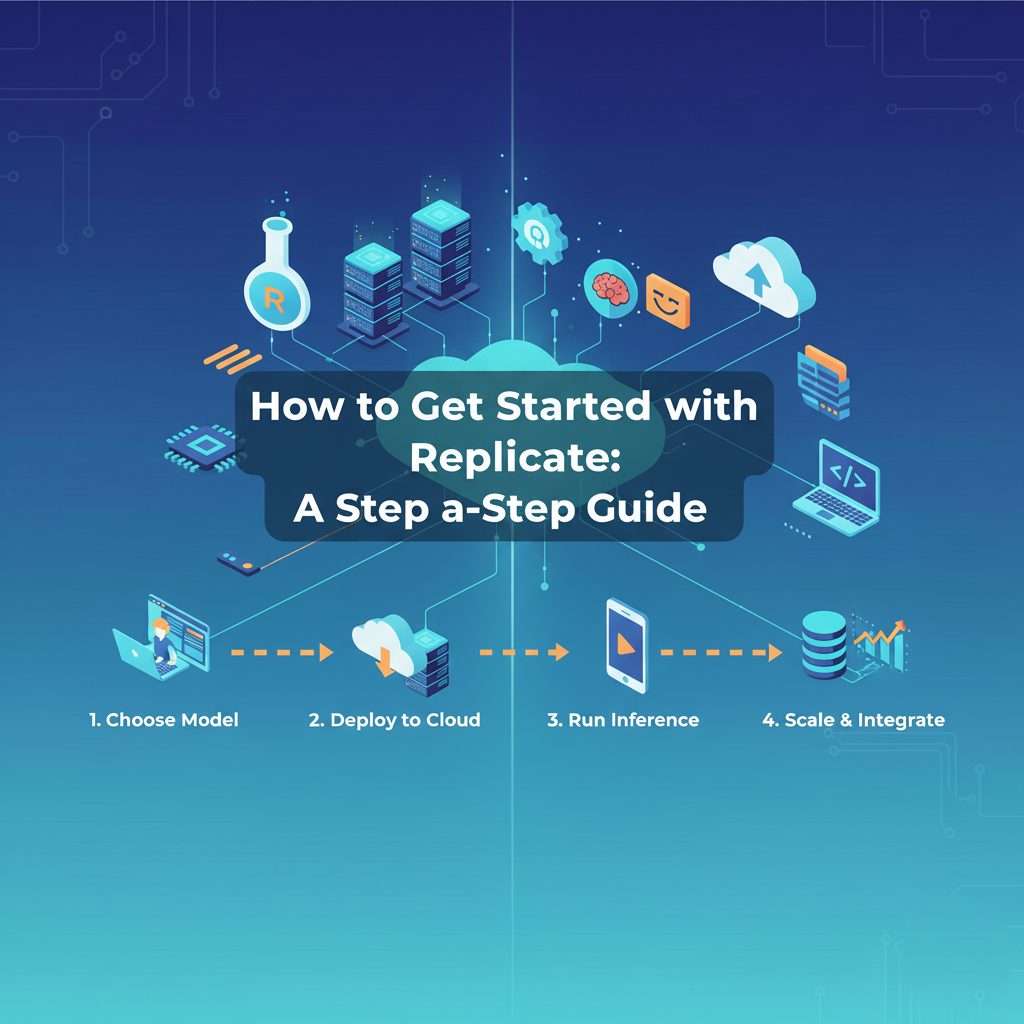
Getting started with Replicate is a smooth process. Here’s a breakdown of the typical workflow:
Step 1: Set Up Your Environment
First, you’ll need a Replicate account. You can sign up easily with your GitHub account.
Next, you’ll need to install cog, the open-source tool Replicate uses to package models.
Bash
pip install cog
Step 2: Define Your Model with cog
cog is a powerful tool for defining your model’s behavior. You’ll create a Python file (e.g., predict.py) that contains your model’s logic and a cog.yaml file to define its dependencies and runtime environment.
Example predict.py:
Python
from cog import BasePredictor, Path
import torch

class Predictor(BasePredictor):
    def setup(self):
        # This method is called once when the model is loaded.
        self.model = torch.load("my_model.pth")

    def predict(self, image: Path) -> Path:
        # This is the main prediction method.
        # It takes an image path and returns a processed image path.
        processed_image = self.model.process(image)
        return processed_image
Example cog.yaml:
YAML
build:
  python_version: "3.9"
  cuda_version: "11.7"
  system_packages:
    - libgl1-mesa-glx
    - libsm6
    - libxext6
    - libxrender1
  python_packages:
    - torch
    - torchvision
    - pillow
predict: "predict.py:Predictor"
This simple yaml file tells Replicate everything it needs to know: the Python version, CUDA version, system-level dependencies, Python libraries, and the entry point for your prediction logic.
Step 3: Push to GitHub and Deploy
Once your predict.py and cog.yaml files are ready, push them to a public or private GitHub repository.
Next, go to the Replicate dashboard and connect your GitHub repository. Replicate will automatically detect the cog.yaml file, build the model, and deploy it. You’ll get a unique API endpoint for your model.
Step 4: Make an API Call
Now, your model is live and ready to be used. You can interact with it using Replicate’s API. Here’s a simple example using the Python client library:
Python
import replicate

# This is the unique URL for your deployed model.
model = replicate.models.get("your-username/your-model")

# Make a prediction with your model.
output = model.predict(image="https://example.com/your-image.jpg")

# Print the result.
print(output)
It’s that simple. With a few lines of code, you’ve integrated a powerful ML model into your application, all without ever touching a server or managing a GPU.
Replicate’s Strengths and Weaknesses
Like any platform, Replicate has its pros and cons. Understanding these can help you decide if it’s the right tool for your project.
Strengths:
- Ease of Use: Unquestionably its biggest advantage. It abstracts away all the complexities of MLOps.
- Cost-Effectiveness: The pay-as-you-go model and auto-scaling capabilities make it very economical, especially for models with variable usage.
- Rapid Prototyping and Deployment: You can go from a trained model to a live API in minutes, not days.
- Rich Model Library: The platform provides a huge collection of open-source models, making it easy to experiment with and integrate cutting-edge AI.
- Community and Support: Replicate has a vibrant community and excellent documentation, which is crucial for getting help and staying updated.
Weaknesses:
- Limited Customization: While
cogis flexible, you have less control over the underlying infrastructure compared to building your own on AWS or GCP. This might not be suitable for highly specialized or non-standard use cases. - Vendor Lock-in: By using Replicate, your deployment pipeline becomes tied to their ecosystem. While
cogis open-source, the hosting is not, so migrating away would require some effort. - Not for All ML Workloads: Replicate is ideal for prediction and inference tasks. It is not designed for real-time model training or complex data processing pipelines that require continuous resource allocation.
Conclusion
Replicate is more than just a tool; it’s a new way of thinking about ML model deployment. It shifts the focus from the “how” of infrastructure to the “what” of application development. By simplifying the most challenging parts of MLOps GPU management, scaling, and dependency handling Replicate empowers developers to build innovative, AI-powered applications faster and more efficiently than ever before.
Whether you’re a solo developer working on a side project or a large company looking to streamline your ML workflow, Replicate offers a powerful, cost-effective, and user-friendly solution. It represents the future of ML deployment, where the complexity is hidden behind a simple API, and the true power of machine learning is accessible to everyone. If you haven’t tried it yet, now is the perfect time to explore how Replicate can transform your ML projects.